Little London
Weekend activity directory for families with a young child in London. A clean, fast resource for answering the Friday question: what shall we do this weekend?
Visit littlelondonco.com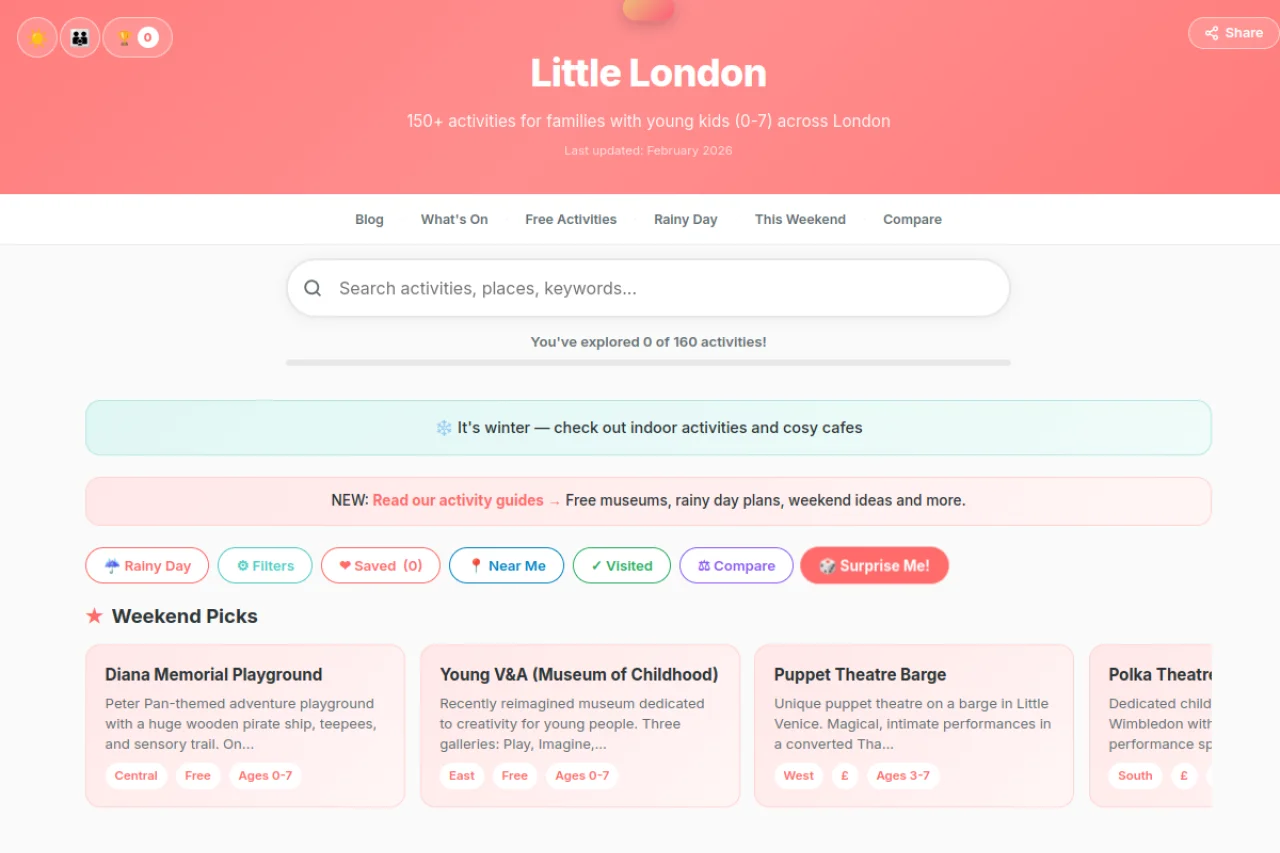
Born from real weekend planning
Every Friday, the same question: "What shall we do this weekend?" Existing sites were cluttered, ad-heavy, or unreliable. Half the listings were outdated or missing key details like whether somewhere was pram-accessible or had parking. The experience of finding things to do was almost as exhausting as actually doing them.
Little London was built to solve a personal frustration. A clean, fast, mobile-first directory of verified activities across London, filterable by the things that actually matter to parents: area, age range, cost, and type. No pop-ups, no sponsored listings, no guesswork about whether a place is still open.
Every activity has been hand-verified. URLs checked, details confirmed, closed venues removed. That editorial rigour is the whole point: when you are planning a Saturday with a child under five, you need to trust the information.
Plan the weekend in minutes
160 hand-verified activities across London, each with consistent details: what it is, where it is, how much it costs, what ages it suits, and what to expect. Filter by area, age, cost, and type to find exactly what you need. The route planner helps you combine multiple activities into a logical day out.
The weekend planner generates a suggested itinerary based on your preferences. The "This Weekend" feature highlights timely picks. A What's On section pulls from 5 RSS feeds to surface upcoming events. The compare tool lets you stack two activities side by side to decide between them.
Everything is designed mobile-first because parents plan weekends on their phones, usually on the sofa on Friday evening. Fast loading, easy filtering, no friction.
Friday evening, kids in bed, glass of something on the side table, and you are scrolling through ad-infested websites trying to figure out what to do tomorrow. That is the moment this was built for.
Designed around how parents actually plan
The weekend planning problem. Parents do not browse activity directories for fun. They have a specific, time-pressured question: what are we doing this weekend? The entire UX is built around answering that question quickly. No browsing for the sake of browsing. Filter, find, decide. The weekend planner generates a suggested itinerary so you do not even have to think about sequencing.
Age-appropriate filtering. A soft play designed for toddlers is useless if your child is seven. An interactive museum pitched at school-age kids is overwhelming for a two-year-old. Age filtering sounds obvious but most directories either skip it entirely or use unhelpful ranges like "0-12." Every activity in Little London has a specific age suitability, because that is the first thing any parent checks.
Verified venues only. Every single activity has been manually checked. URLs tested, venues confirmed open, details verified. I have seen too many directories recommend places that closed six months ago. When you are dragging a toddler across London on a Saturday morning, arriving at a shuttered building is not a minor inconvenience. It ruins the day. Verification is not a nice-to-have. It is the whole point.
Area-based browsing. London is enormous. Nobody wants to see activities in Hackney when they live in Brixton and their child has a two-hour window before naptime. Browsing by area respects the reality of parenting in London: you need something nearby, and you need it fast.
What parenting taught me about product
Build for yourself first. This started because I was genuinely frustrated every Friday. No user interviews needed. No personas. Just a dad on a sofa, unable to find a decent answer to a simple question. The best products come from scratching your own itch, and this one itched constantly.
Trust is the feature. The most valuable thing about Little London is not the design or the filters. It is the fact that every listing has been checked. In a world of AI-generated content and outdated databases, a human saying "yes, this is real and this is good" is the actual product. Verification is boring work but it is the work that matters.
Mobile-first is not optional for parents. I looked at when parents access the site: overwhelmingly on phones, overwhelmingly on Friday evenings and Saturday mornings. Desktop is an afterthought. Designing mobile-first was not a philosophical choice, it was the only choice that matched how people actually use the thing.
Every parent in London has the same Friday evening ritual: arguing about what to do tomorrow while scrolling through seven different websites. I wanted to make that one website instead of seven.
160 verified activities for families across London. Plan your weekend.
Visit Little London